Deploying a Discord Trade Alert Bot: Streaming AI Signals and Webhooks via Node.js
Deploying a Discord Trade Alert Bot: Streaming AI Signals and Webhooks via Node.js
Staying on top of fast-moving financial markets across equities, forex, commodities, and cryptocurrencies can feel overwhelming. Many retail traders and trading community leaders spend hours watching charts, hoping they do not miss an important breakout or momentum shift. Missing a key technical pattern because you stepped away from your desk for lunch is an all-too-familiar frustration.
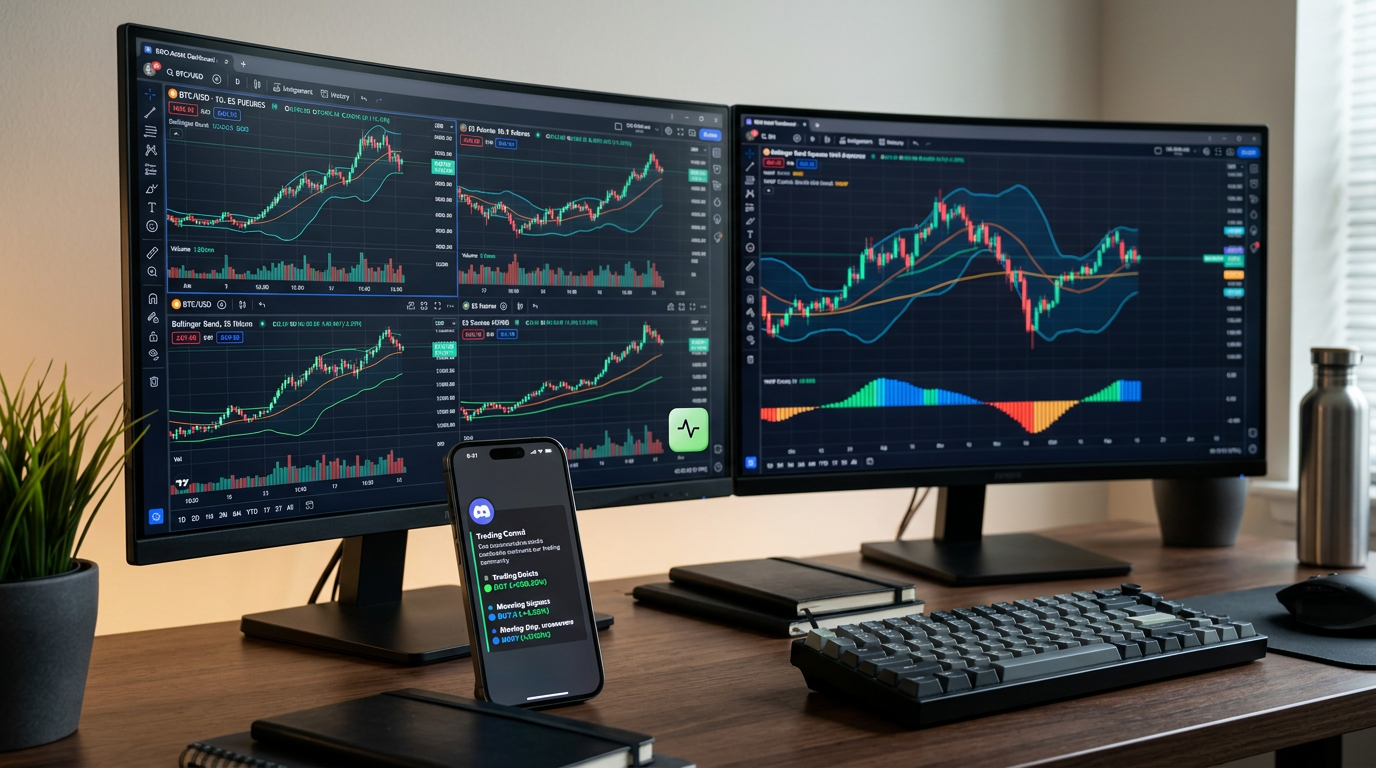
Automating your market alerts solves this problem. Instead of being glued to multiple monitors all day, you can stream real-time market intelligence straight into a private Discord channel. Discord has evolved from a gaming chat app into one of the most popular collaboration hubs for retail market analysts and trading clubs.
In this practical guide, we will walk through how to build and deploy a lightweight Discord trade alert bot using Node.js and incoming webhooks to stream structured AI signals from Trade AI. You do not need to be a senior software engineer to follow along—we will break down the process step by step so you can get automated notifications running smoothly.
Why Stream Market Alerts Directly to Discord?
Before diving into the setup, it helps to understand why Discord is such an effective tool for retail traders and community organizers.
Instant Notifications Across Devices
Discord runs seamlessly on desktop, browser, and mobile devices. When an alert arrives, your phone buzzes immediately, giving you actionable market context wherever you are. You can configure push notifications, customize notification sounds, or isolate alerts to dedicated channels.
Clean Organization by Asset Class
Rather than cluttering your personal inbox or mixing messages in chat groups, Discord lets you create focused channels for different markets. For example, you can set up separate channels for:
#crypto-signals#forex-bias#equities-breakouts#market-sentiment
This keeps your research organized and prevents information fatigue.
Collaborative Analysis with Fellow Traders
If you run a trading study group or chat with trading friends, having an automated alert bot post structured updates allows everyone to review the same chart analysis, discuss key support levels, and evaluate risk together in real time.
Understanding the Core Building Blocks: AI Signals and Webhooks
To build your alert stream, you only need to understand two basic concepts: webhooks and signal data structures.
What Is a Webhook?
A webhook is simply an automated message sent from one application to another when an event happens. Think of it like a text message sent by an app: when a new market opportunity or technical pattern is identified, the source platform automatically delivers a package of information to a specific web address (URL) provided by Discord.
Discord makes this remarkably straightforward through Incoming Webhooks. You do not need to host a complex, persistent server just to receive messages; Discord creates a unique URL for your channel that accepts standard JSON data and posts it as an attractive chat message.
What Information Does an AI Trading Signal Include?
A high-quality alert provides context rather than a blind guess. Platforms like Trade AI generate structured signals that include clear technical components designed for educational and informational research:
- Asset & Symbol: The ticker symbol (e.g., BTC/USDT, EUR/USD, or AAPL).
- Market Bias: Directional context (Bullish, Bearish, or Neutral).
- Key Levels: Potential entry zones, stop-loss markers, and multi-tier take-profit levels.
- Supporting Rationale: Technical indicators, pattern recognition (e.g., bull flags, double bottoms), or volume anomalies that support the alert.
- Risk Metrics: Suggested risk-to-reward ratio for study and paper-trading evaluation.
Having these details cleanly formatted inside a Discord message helps retail traders make objective, rule-based evaluations rather than impulsive decisions.
Step 1: Setting Up Your Discord Channel and Webhook URL
Creating an incoming webhook in Discord takes less than two minutes:
- Open your Discord server on desktop or browser.
- Create or select the text channel where you want your trade alerts to appear (e.g.,
#trade-ai-alerts). - Click the gear icon next to the channel name to open Channel Settings.
- Navigate to Integrations on the left menu, then click Webhooks.
- Click New Webhook. Give your bot a name, such as Trade AI Assistant, and optionally upload a custom avatar.
- Click Copy Webhook URL. Store this URL securely; it acts as the key that allows your script to post directly into the channel.
For additional details on Discord webhook formatting, refer to the official Discord Developer Documentation.
Step 2: Creating a Lightweight Node.js Dispatcher
Node.js is an accessible, popular runtime environment for writing quick scripts. You only need a few lines of code to take an incoming signal payload and forward it as a formatted Discord card (an "embed").
Initializing the Project
Make sure you have Node.js installed from the official Node.js website. Open your terminal and create a new folder:
mkdir discord-trade-bot
cd discord-trade-bot
npm init -y
npm install axios dotenv
Here, axios is a friendly tool for sending web requests, and dotenv keeps your webhook URL secure in a private configuration file.
Crafting the Notification Script
Create an .env file in your directory to store your secret Discord webhook URL:
DISCORD_WEBHOOK_URL=https://discord.com/api/webhooks/YOUR_WEBHOOK_ID/YOUR_WEBHOOK_TOKEN
Next, create a file named sendAlert.js:
require('dotenv').config();
const axios = require('axios');

const webhookUrl = process.env.DISCORD_WEBHOOK_URL;

// Sample signal payload received from Trade AI
const mockSignal = {
  symbol: 'ETH/USDT',
  timeframe: '4H',
  bias: 'BULLISH',
  entryZone: '$3,150.00 - $3,180.00',
  target1: '$3,320.00',
  stopLoss: '$3,080.00',
  rationale: 'Bullish divergence detected on 4H RSI with high-volume retest of 50 EMA.'
};

async function dispatchDiscordAlert(signal) {
  const embedPayload = {
    username: 'Trade AI Alerts',
    embeds: [
      {
        title: `🚨 New Signal: ${signal.symbol} (${signal.timeframe})`,
        color: signal.bias === 'BULLISH' ? 0x00ff88 : 0xff4d4d,
        fields: [
          { name: 'Market Bias', value: signal.bias, inline: true },
          { name: 'Entry Zone', value: signal.entryZone, inline: true },
          { name: 'Stop Loss', value: signal.stopLoss, inline: true },
          { name: 'Target Level', value: signal.target1, inline: true },
          { name: 'AI Technical Analysis', value: signal.rationale, inline: false }
        ],
        footer: {
          text: 'Trade AI • For educational & informational research only'
        },
        timestamp: new Date().toISOString()
      }
    ]
  };

  try {
    const response = await axios.post(webhookUrl, embedPayload);
    if (response.status === 204) {
      console.log('✅ Trade alert successfully posted to Discord!');
    }
  } catch (error) {
    console.error('❌ Error sending alert to Discord:', error.message);
  }
}

dispatchDiscordAlert(mockSignal);
Run the script in your terminal by typing node sendAlert.js. Within a second, an aesthetically organized card will pop up in your Discord channel displaying the symbol, directional bias, entry range, and supporting technical rationale.
Step 3: Streamlining Market Intelligence with Trade AI
While running custom scripts can be a fun project, you do not have to build an entire trading system from scratch to enjoy automated market monitoring. Trade AI offers a rich suite of built-in features that simplify how retail traders access, evaluate, and test trading ideas.
Native Telegram Bot Integration
If setting up code or hosting webhooks feels like extra work, Trade AI provides an out-of-the-box Telegram Bot. You can receive AI-generated signals, request on-demand chart analysis, and check portfolio health straight from your chat app without running any servers or writing scripts.
AI Chart Vision and Pattern Recognition
Whenever an alert sounds, verifying the market structure is crucial. Trade AI allows you to analyze symbols instantly or upload your own chart screenshots. The platform's computer vision identifies key support and resistance zones, trend channels, and candlestick formations, confirming whether market conditions match the alert.
Risk-Free Paper Trading Simulation
One of the most effective ways to build confidence is testing signals in a safe environment. Instead of risking real capital, you can feed alert ideas into Trade AI's Trading Simulation. Track simulated entries and exits using live market prices, review your win/loss statistics, and refine your risk management strategy without financial stress.
Leveling Up with Trade AI Arcade
Analyzing charts all day can be mentally draining. Trade AI introduces Trade AI Arcade, featuring market-inspired mini-games like Candle Runner and Signal Hunter. By running market analyses, tracking your watchlists, and participating in Arcade challenges, you earn XP and TCoins to unlock themes and track your learning progress on leaderboards.
Best Practices for Managing Trade Alert Channels
Whether you build a bot for yourself or a growing trading community, follow these key practices to keep your alerts practical and actionable:
- Avoid Notification Overload: Set alerts only for higher-timeframe setups (such as 1-hour or 4-hour charts) to filter out choppy, intraday market noise.
- Always Pair Signals with Risk Ratios: Never enter a position without knowing your planned invalidation point. As covered on Investopedia, a structured risk-to-reward ratio is fundamental to disciplined trading.
- Cross-Reference Sentiment: Check incoming technical alerts against Trade AI's news sentiment scoring to ensure a surprise macro announcement does not disrupt your analysis.
Summary / Key Takeaways
- Automated Efficiency: Setting up a Discord trade alert bot eliminates the need to sit in front of charts all day by delivering critical updates straight to your devices.
- Simple Architecture: Using Discord's native incoming webhooks and a basic Node.js script allows anyone to stream custom alerts without managing complex server infrastructure.
- Clear Signal Context: High-value alerts provide comprehensive technical data—including bias, entry zones, invalidation points, and technical rationale—rather than just ticker symbols.
- Complete Toolset: Trade AI bridges the gap for retail traders, offering instant Telegram alerts, AI chart pattern vision, portfolio insights, and paper-trading simulation to test ideas safely.
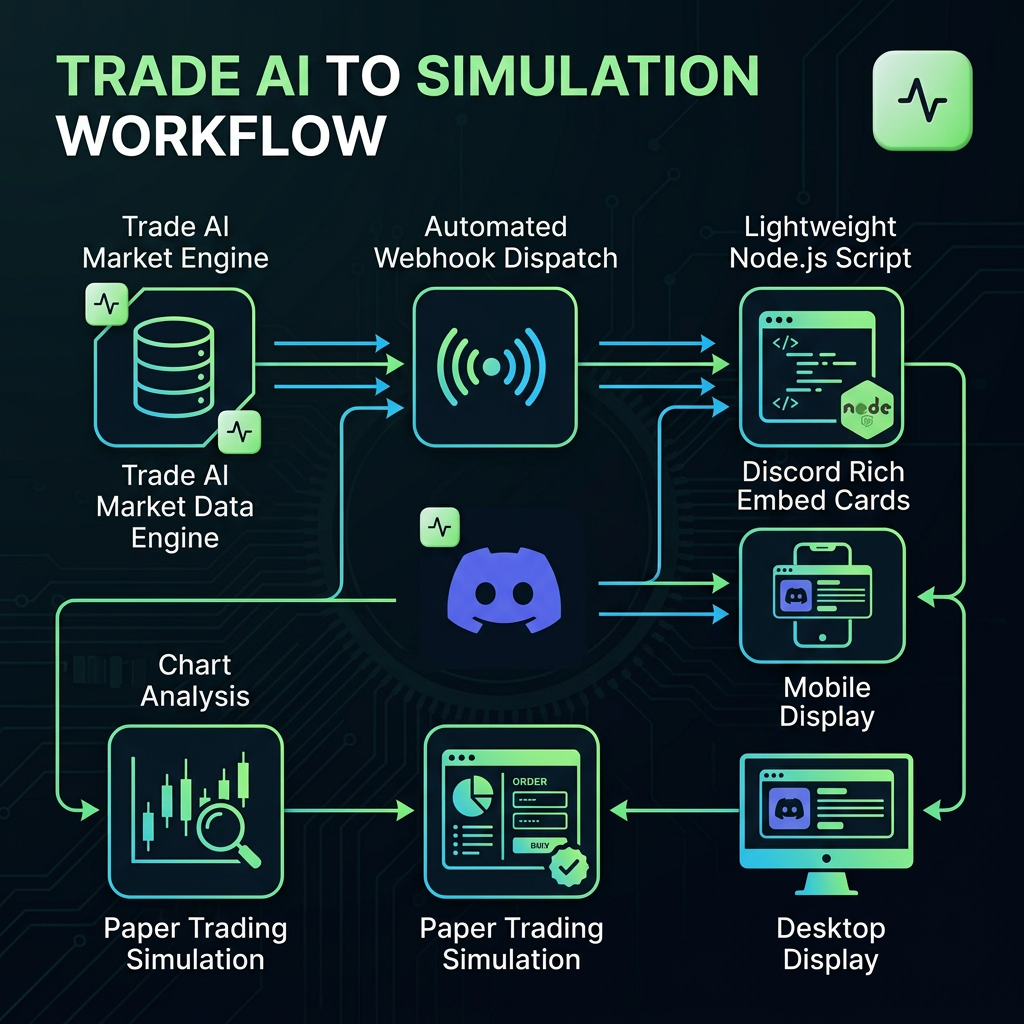
Infographic: How Trade AI Signals Stream to Your Discord Community
+-------------------------------------------------------------+
|              STREAMING SIGNALS TO DISCORD                   |
+-------------------------------------------------------------+

 [ Trade AI Market Engine ]
   Multi-Asset Data • AI Pattern Detection • News Sentiment
                |
                v
 [ Automated Webhook Dispatch ]
   Generates JSON Payload with Bias, Entry, SL & Rationale
                |
                v
 [ Node.js Micro-Forwarder ]
   Formats Data into Rich Embed Visual Cards
                |
                v
 [ Discord Channel Webhook ]
   Instant Alert on Mobile, Desktop, and Community Chat
                |
                v
 [ Trader Research & Action ]
   Verify Chart Vision -> Test in Simulator -> Manage Risk
+-------------------------------------------------------------+
Start Your Market Analysis with Trade AI
Ready to elevate your trading routine? Whether you want to stream automated alerts to your community or analyze charts with AI-driven vision, Trade AI gives you the tools to research markets with clarity and confidence.
Explore Trade AI for Free and experience a smarter way to track, simulate, and analyze financial markets.
Frequently Asked Questions (FAQ)
Do I need advanced programming skills to stream alerts to Discord?
No. Discord's incoming webhooks accept simple HTTP requests. With basic familiarity with JavaScript or by using no-code automation tools, you can set up a functioning trade alert channel in under 15 minutes.
Can I receive signals without building a custom Discord bot?
Yes. If you prefer a ready-made solution without running scripts, Trade AI provides a built-in Telegram Bot that delivers real-time signals, chart analysis, and portfolio updates directly to your phone.
What financial markets can I track with Trade AI alerts?
Trade AI provides intelligence across multiple asset classes, including equities (stocks), cryptocurrencies, foreign exchange (Forex), and commodities.
How does the Trade AI Trading Simulator help with alert bots?
Before committing real money to any alert or strategy, you can test signals inside Trade AI's risk-free simulation environment. This lets you practice position sizing and stop-loss placement using real-time market data.
Are automated AI trading signals guaranteed to be profitable?
No. Financial markets are inherently uncertain, and no algorithm or artificial intelligence can predict market movements with 100% accuracy. Signals are educational research tools designed to help traders make informed, systematic decisions alongside strict risk management.
Disclaimer: Trade AI provides AI-generated market analysis, signals, and insights for informational and educational purposes only. This content does not constitute financial, investment, or trading advice, nor is it a recommendation to buy or sell any financial instrument. Markets are inherently unpredictable, and past or AI-generated analysis does not guarantee future results. Always conduct your own research and apply appropriate risk management before making any financial decision.
Frequently asked questions
- Do I need advanced programming skills to stream alerts to Discord?
- No. Discord incoming webhooks accept simple HTTP requests. With basic familiarity with JavaScript or no-code tools, you can configure an automated trade alert channel in under 15 minutes.
- Can I receive signals without building a custom Discord bot?
- Yes. Trade AI offers a native Telegram Bot that delivers real-time signals, chart analysis, and portfolio insights directly to your chat without requiring you to write code or host servers.
- What financial markets can I track with Trade AI alerts?
- Trade AI covers equities (stocks), cryptocurrencies, foreign exchange (Forex), and commodities, offering multi-asset market intelligence on a single platform.
- How does the Trade AI Trading Simulator help with alert bots?
- The Trading Simulator allows you to execute and test incoming signal alerts using live market prices without risking real capital, helping you evaluate setups and build disciplined risk habits.
- Are automated AI trading signals guaranteed to be profitable?
- No. Markets are inherently volatile and unpredictable. AI signals are designed for educational and informational research to help identify setups, not as guarantees of profit or financial advice.